Routers and Switches Suppliers in Nigeria: A Practical Buying Guide
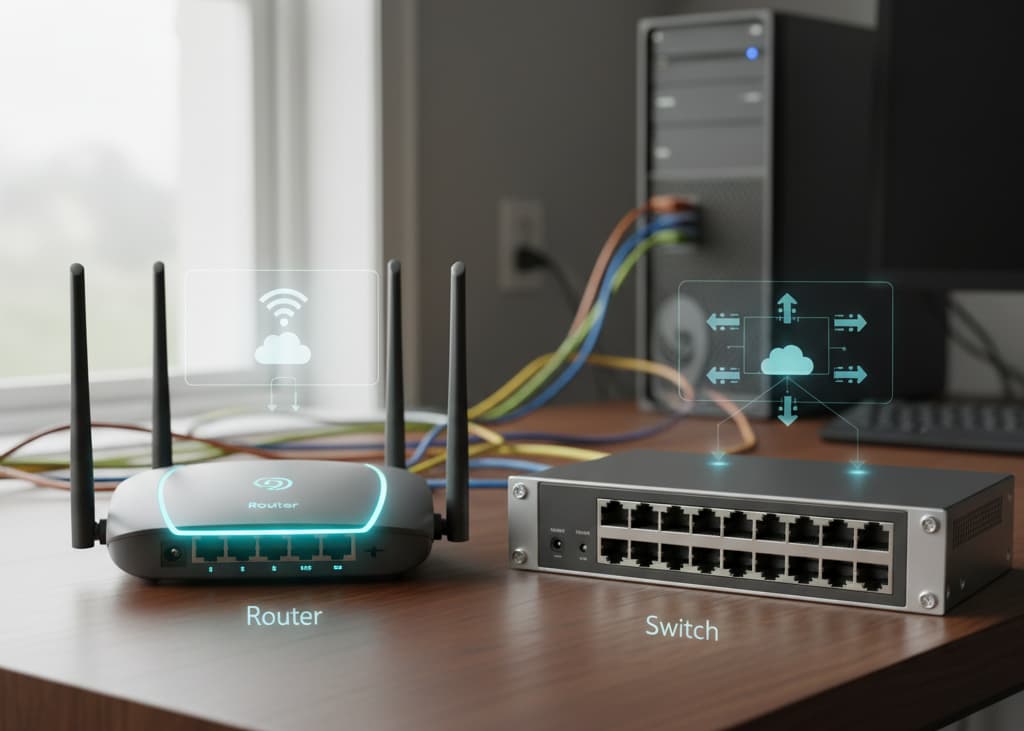
Routers and switches are two of the most important pieces of hardware in a business network, but they perform different jobs. A router connects and directs traffic between networks, while a switch connects devices within a local network. Most business networks use both.
For buyers in Nigeria, the challenge is not simply finding a supplier with routers and switches in stock. The equipment needs to match the number of users and devices, internet connection, PoE requirements, VLANs, uplink speeds, wireless deployment and future growth. This guide explains what to buy, what specifications matter and what to look for in a supplier.
TL;DR
- Routers connect different networks and commonly provide internet routing, NAT, firewall functions, VPNs and WAN connectivity. Switches connect devices within the LAN.
- For a basic office, a router plus an Ethernet switch may be enough. Larger deployments may require managed switches, PoE, multiple access points, high-speed uplinks and stronger security or routing capabilities.
- Do not choose a switch from port count alone. Check whether it is managed, its PoE standard and total power budget, uplink speed, VLAN support and room for expansion.
- Do not choose a router from internet speed alone. Check routing throughput, WAN interfaces, VPN performance, concurrent connections, firewall features and failover requirements.
- Routers and switches from different manufacturers can usually work together when standards and required features are compatible. Proprietary management and some optical components require additional checking.
- Before requesting a quotation, give the supplier your device count, PoE endpoints, internet bandwidth, existing equipment, number of locations, fiber requirements and expected growth.
What Is the Difference Between a Router and a Network Switch?
A router moves traffic between different networks. In a typical business, it sits at the network edge and connects the local network to an internet service or another site. Depending on the model, it may also provide NAT, DHCP, VPN connectivity, firewall functions, traffic management and multiple-WAN failover.
A switch primarily connects devices within the same local network. Computers, IP phones, access points, cameras and servers can connect to switch ports and communicate across the LAN. Managed switches add capabilities such as VLANs, QoS, port security and monitoring, while PoE models can also supply power to compatible devices.
| Router | Switch | Typical buyer concern | |
| Primary role | Connects different networks | Connects LAN devices | Buying the right device for the job |
| Typical location | Network edge/gateway | Access or distribution layer | Network architecture |
| Key features | Routing, WAN, VPN, NAT, firewall | Ports, VLANs, QoS, PoE, uplinks | Required features |
| Main capacity concern | Routing throughput and connections | Ports, switching capacity and uplinks | Avoiding bottlenecks |
Types of Routers to Consider in Nigeria
Business and enterprise routers
A business router is designed to handle more than basic home internet sharing. Depending on the model, it can support multiple WAN connections, VPNs, firewall policies, traffic management, VLANs and higher numbers of concurrent connections.
For a business purchase, compare routing throughput and the number and type of interfaces rather than assuming that a router advertised for a certain internet speed will perform equally well under every workload. A branch office with one internet connection has different requirements from a company using multiple ISPs and site-to-site VPNs.
VPN routers
VPN routers are useful when employees or branches need secure access to a business network over the internet. The important specification is not simply whether VPN is supported, but which VPN technologies are supported, how many tunnels are required and what throughput the router can maintain while encryption is active.
Multi-WAN VPN routers can also provide failover or load balancing where business continuity matters. RapidBTS’s Grandstream GWN7001/GWN7002/GWN7003 documentation describes multi-WAN support, VPN, firewall functions, traffic load balancing and failover capabilities, illustrating the type of feature set that may matter in a business deployment.
Wireless routers
A wireless router combines routing with Wi-Fi, making it useful for smaller offices and deployments where an integrated device is appropriate. It can reduce the number of separate devices required and may provide features such as VPN, guest networking, mesh support and traffic controls.
For larger offices, however, separating the router from the wireless access points often provides more flexibility. You can place multiple access points around the building without replacing the gateway, and you can upgrade the wireless layer independently. RapidBTS’s Grandstream GWN7062 is an example of a Wi-Fi 6 router designed for small offices and remote workers, with VPN, mesh and wired AP support.
Types of Network Switches to Consider in Nigeria
Unmanaged switches
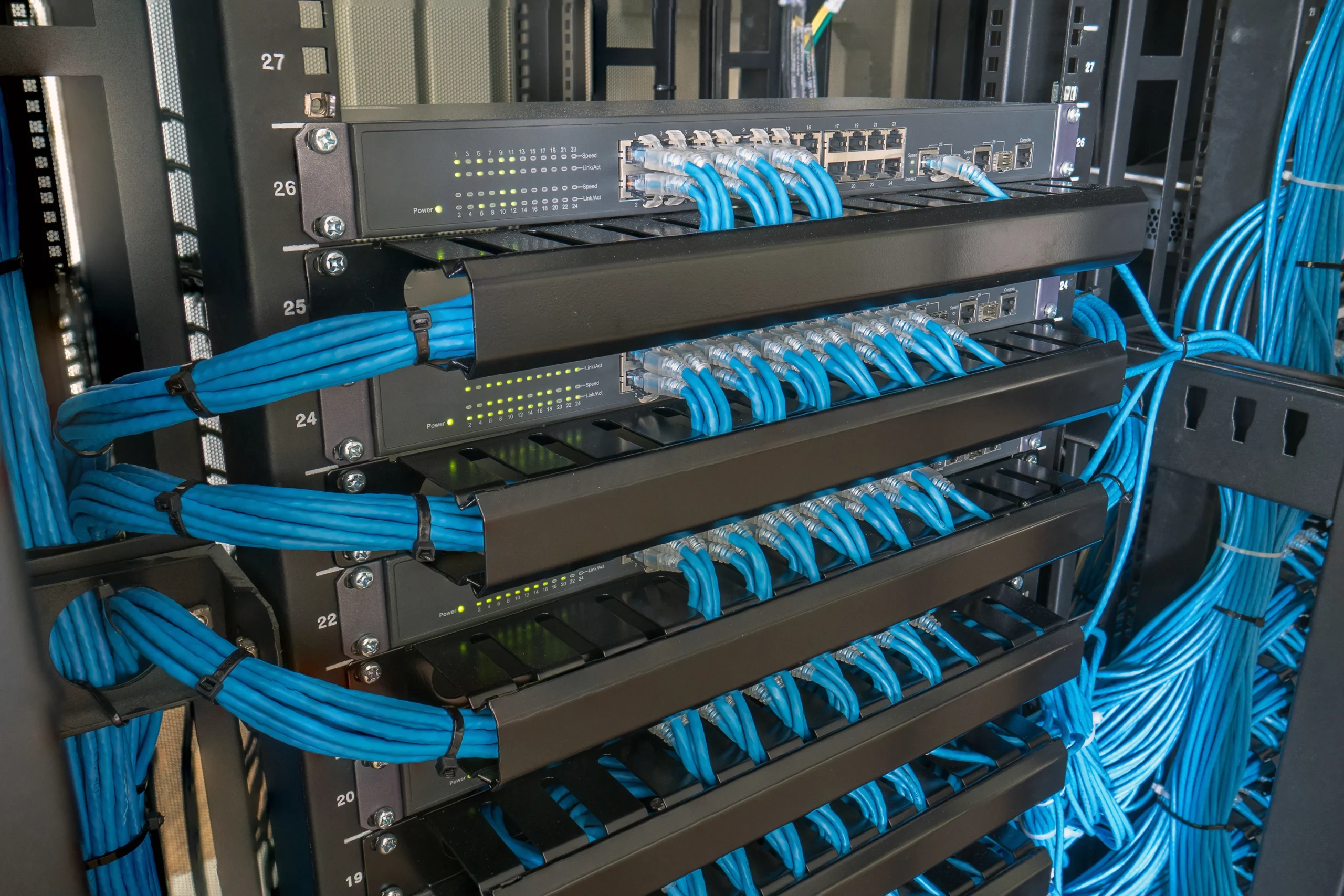
An unmanaged switch provides straightforward Ethernet connectivity without requiring configuration. It can be a sensible choice for a small, uncomplicated network where devices simply need to communicate and there is no requirement for VLANs, centralized management or advanced traffic controls.
The main advantage is simplicity, but that simplicity becomes a limitation as the network grows. If the business needs separate guest and staff networks, voice prioritization, port security or traffic monitoring, an unmanaged switch cannot provide those controls. RapidBTS sells network switches for these different deployment requirements, so the correct category depends on the network design.
Managed switches
Managed switches allow administrators to control and monitor how traffic moves through the LAN. Common features include VLANs, QoS, link aggregation, port security, DHCP snooping, monitoring and configuration through a web interface or management platform.
These features are particularly useful when a business has IP phones, guest Wi-Fi, CCTV, servers or multiple departments that should be logically separated. RapidBTS’s Grandstream GWN7800 series documentation describes Layer 2+ management, VLANs, QoS, security features and PoE options, which are examples of the capabilities buyers should compare when evaluating managed equipment.
PoE switches
Power over Ethernet switches send electrical power and network data through compatible Ethernet cabling. They are commonly used for IP phones, wireless access points and IP cameras because they can reduce the need for separate power adapters and electrical outlets at each endpoint.
Do not stop at ‘PoE supported.’ Check the PoE standard, maximum power per port and total PoE budget. A switch may have enough PoE ports but still lack enough total power to run every connected device simultaneously. RapidBTS has a dedicated range of PoE switches for deployments where powered endpoints are required.
Layer 2 and Layer 3 switches
Layer 2 switches forward Ethernet frames within the local network. Layer 3 switches add routing capabilities, allowing them to route between VLANs or IP subnets. This can be useful in larger networks where routing between multiple logical networks needs to happen efficiently at the switching layer.
A small office may have no reason to pay for Layer 3 capabilities. A campus, hotel, multi-floor office or larger enterprise network may benefit from them. The right decision depends on the network architecture rather than the size label attached to the switch.
Fiber and SFP/SFP+ switches
Fiber-capable switches are useful where network links need longer distances or higher-speed uplinks. SFP and SFP+ interfaces allow the switch to use compatible optical or copper transceiver modules rather than restricting every connection to standard RJ45 Ethernet.
Compatibility matters here. The switch, transceiver and fiber must match in speed, fiber type, wavelength, connector and distance. RapidBTS supplies SFP modules and fiber equipment alongside switches, which is useful when the network requires optical uplinks rather than copper-only connections.
How to Choose the Right Router
- Routing throughput. A router’s advertised maximum internet speed is not the same as performance under every configuration. VPN encryption, firewall inspection, traffic policies and the number of active connections can affect real throughput.
- WAN connections. If the business uses two ISPs, needs backup connectivity or expects to add another WAN service, choose a router with the appropriate number and type of WAN interfaces.
- VPN requirements. Identify whether you need remote-access VPN, site-to-site VPN or both, how many concurrent tunnels are required and what throughput is needed while the VPN is active.
- Firewall and traffic controls. For business networks, features such as NAT, firewall rules, traffic shaping, content controls and logging may matter as much as raw routing speed.
- Growth. If the business expects more users, branches, bandwidth or network services, select hardware that can support that growth rather than replacing the router after a short period.
- A useful supplier should be able to translate these requirements into a router recommendation. If you simply ask for ‘a good router,’ the quotation may be based on popularity or price instead of the actual network requirement.
How to Choose the Right Network Switch
Start with the number of physical Ethernet endpoints, not the number of employees. A 25-person office may have computers, IP phones, printers, access points, cameras and other devices that collectively require more ports than the headcount suggests.
Then evaluate the features needed by those endpoints. If IP phones or access points will receive power from the switch, calculate the PoE budget. If traffic must be segmented, look for VLAN support. If several access switches will feed a central switch, check whether the uplinks can carry the aggregated traffic without becoming a bottleneck.
| Specification | Why it matters | Questions to ask |
|---|---|---|
| Port count | Determines how many wired endpoints can connect | How many devices need Ethernet today, and how many later? |
| PoE budget | Determines how many powered devices can run from the switch | How much power do the APs, phones or cameras require in total? |
| Uplink speed | Prevents aggregated access traffic from creating a bottleneck | Are 1Gbps uplinks enough, or is 2.5/10Gbps or fiber required? |
| Management | Controls VLANs, QoS, security and monitoring | Does the network need segmentation or centralized administration? |
| SFP/SFP+ | Provides optical or high-speed connectivity | What speed, distance and fiber type are required? |
How Many Router and Switch Ports Do You Need?
For switches, count every device that needs a wired Ethernet connection. Include computers, IP phones, access points, cameras, printers, servers, NAS devices, uplinks and other infrastructure. Then add spare capacity so that one new device does not require an immediate switch replacement.
For routers, count the WAN connections and the LAN connections the router itself must terminate. In many business networks, most endpoint devices should connect to a switch rather than directly to the router. The router’s job is to provide the gateway and routing functions, while the switch provides the larger number of local Ethernet ports.
Example: an office with 18 computers, 18 IP phones, 3 access points, 4 cameras and 2 network printers already has 45 Ethernet endpoints. If the phones and APs are powered through PoE, a 48-port switch would provide little or no spare capacity after accounting for the actual deployment and uplink. A larger switch or multiple switches may be the better design.
How Much Do Routers and Switches Cost in Nigeria?
Router and switch prices in Nigeria vary widely because the category covers equipment with very different capabilities. A basic unmanaged switch is not comparable with a managed PoE switch with high-speed uplinks, just as a small office router is not comparable with a multi-WAN enterprise router.
As a practical reference, RapidBTS catalogue examples from its networking range have included low-cost unmanaged and PoE switches in the tens of thousands of naira, while higher-capacity managed PoE switches can run into hundreds of thousands or above ₦1 million. Router pricing similarly varies according to WAN interfaces, VPN capabilities, wireless functionality and enterprise features. Prices and stock should be checked before publication because they can change.
| Equipment level | Typical characteristics | Main price drivers |
|---|---|---|
| Entry-level switch | Small port count, unmanaged, usually Gigabit | Ports, brand, PoE |
| Business managed switch | VLANs, QoS, monitoring and higher uplink capacity | Management features, ports, uplinks |
| PoE switch | Ethernet connectivity plus power delivery | PoE standard, total power budget, ports |
| Enterprise switch | Higher port density, Layer 3, high-speed uplinks | Switching capacity, redundancy, stacking, optics |
| Business router | Routing, firewall, VPN and possibly multiple WANs | Throughput, interfaces, VPN and security features |
| Wireless router | Routing plus integrated Wi-Fi | Wi-Fi standard, client capacity, VPN, ports |
Can You Mix Routers and Switches From Different Brands?
Yes. Routers and switches from different manufacturers can generally communicate when they use compatible Ethernet standards and the required network features are implemented correctly. A Cisco router can, for example, connect to a switch from another manufacturer without requiring both devices to be the same brand.
The exceptions are usually around proprietary management features, specific transceiver compatibility, controller ecosystems or advanced features that depend on a manufacturer’s platform. If you are mixing brands, verify VLAN behaviour, PoE standards, SFP/SFP+ compatibility, management requirements and any vendor-specific dependencies before ordering.
What Should You Look for in a Router and Switch Supplier in Nigeria?
- Technical fit. The supplier should ask about the network before recommending a model. Port count, PoE, uplinks, WAN interfaces and VPN requirements should come from the deployment.
- Compatibility. The proposed router, switches, optics, access points and powered endpoints should be checked as a system, especially where PoE and SFP/SFP+ components are involved.
- Warranty and support. Confirm the warranty terms and what happens if equipment develops a fault. For business-critical deployments, also ask about configuration and technical support.
- Availability and delivery. If the equipment is needed for an installation, confirm stock and expected delivery before finalizing the project schedule. Nationwide delivery can matter when the deployment is outside Lagos.
- Complete procurement. A supplier that can provide the router, switches and associated network components can reduce the risk of missing a small but necessary part of the installation.
Routers and Switches Supplied by RapidBTS
RapidBTS sells routers and network switches for business networking deployments, with categories covering network switches, VPN routers, wireless routers, PoE switches and Cisco routers and switches. These categories allow customers to select equipment according to the network role rather than treating every device as the same type of hardware.
For example, a small office may combine a business router with a network switch for wired connectivity, while a deployment with IP phones, cameras or access points may require PoE switches so those endpoints can receive power over Ethernet.
Where the network needs secure remote access or multiple WAN connections, a VPN router may be more appropriate than a basic gateway. For deployments using Wi-Fi, a wireless router can suit a smaller environment, while larger sites may use a dedicated router with separate access points.
Fiber uplinks introduce another procurement consideration. Buyers may need SFP modules that match the switch and fiber link rather than ordering the optical components separately without checking compatibility.
What to Tell a Supplier Before Requesting a Quote
The fastest way to get a useful quotation is to provide the supplier with the network requirements rather than asking for a generic router or switch. Include:
- Number of users and network-connected devices.
- Number of IP phones, cameras, access points and other PoE endpoints.
- Number of Ethernet ports required now and expected growth.
- Internet bandwidth and number of WAN connections.
- Whether VPN, failover or load balancing is required.
- Whether VLANs are required for staff, guests, voice, CCTV or other traffic.
- Number of floors or buildings and approximate distances between network locations.
- Whether fiber or high-speed uplinks are required.
- Existing router, switch, firewall, access point and optical equipment that must remain.
- Whether installation, configuration, testing or support is required.
A floor plan or simple network diagram is especially useful for larger deployments. It allows the supplier to understand where switches, uplinks and wireless equipment will sit and whether the proposed architecture has obvious bottlenecks.
Frequently Asked Questions
Can a switch work without a router?
Yes. A switch can connect devices within a local network without a router. Those devices can communicate with one another, but they will not have a gateway to other networks or the internet unless another device provides that routing function.
Can I connect multiple switches to one router?
Yes. A router can connect to one or more switches, and switches can also be connected to one another where the network design requires it. The important consideration is the capacity of the router-to-switch and switch-to-switch links. If many devices share a single low-speed uplink, that link can become a bottleneck even when the individual access ports are faster.
Do I need a managed switch for a small business?
Not necessarily. An unmanaged switch can be sufficient when the network only needs basic connectivity. A small business should consider a managed switch when it needs VLANs, QoS for voice, port security, monitoring, link aggregation or other controls. The requirement comes from the network’s functions, not simply the number of employees.
Can a PoE switch power any IP phone or access point?
No. The powered device and switch need compatible PoE standards and sufficient available power. Check the device’s power requirement, the switch’s supported PoE standard, maximum power per port and total PoE budget. A switch with many PoE ports can still run out of total power when several high-consumption devices are connected.
Is a more expensive router always better?
No. A more expensive router is only better if its additional capabilities solve a requirement you actually have. A small office may gain little from paying for enterprise routing features it will never use, while a multi-site business may be under-equipped with a low-cost router that lacks sufficient VPN throughput, WAN interfaces or failover.
Can I upgrade my router without replacing my switches?
Usually, yes. Routers and switches perform different roles, so a router upgrade does not automatically require a switch replacement. The new router should have compatible LAN interfaces and support the VLANs, routing and other features used by the existing network. If the upgrade also increases network speed, check whether the existing switch uplinks can handle the new traffic.
Can routers and switches be used for CCTV networks?
Yes. IP cameras commonly connect to PoE switches, which provide both network connectivity and power. The switch then connects back to the network’s routing and recording infrastructure. The design should account for the number of cameras, camera bitrates, PoE budget, uplink capacity and whether CCTV traffic should be isolated from ordinary business traffic.
What is the best router and switch brand for a business in Nigeria?
There is no single best brand for every business. The appropriate choice depends on the required routing performance, switching features, management platform, PoE needs, support requirements and budget. It is more useful to specify the network requirements first and then compare models that meet them than to select a brand before defining the deployment.
Final Takeaway
When buying routers and switches in Nigeria, start with the network rather than the product catalogue. Determine how many devices need connectivity, how much traffic the network will carry, whether devices need PoE, whether the network needs VLANs or VPNs, and whether fiber or high-speed uplinks are required.
A capable supplier should then be able to recommend equipment that fits those requirements and works with the rest of the deployment. RapidBTS supplies routers, switches and related networking equipment for business deployments, so customers can request equipment based on their actual network requirements rather than choosing individual devices in isolation.