
Fiber Optic Cable Suppliers in Nigeria
If you are looking for fiber optic cable suppliers in Nigeria, the difficult part is usually not finding a seller. It is specifying the cable correctly. Single-mode and multimode fiber serve different applications, while indoor, outdoor, aerial, duct and direct-burial cables have different physical requirements.
A 1-core FTTH drop cable, a 12-core outdoor single-mode backbone cable and an indoor multimode cable can all be sold as fiber optic cable, but they are not interchangeable. The fiber type, core count, cable construction and installation environment all affect whether the cable is suitable for the project.
This guide covers the cable types available in Nigeria, how to choose between them, how much they can cost, how to estimate the quantity you need and what to ask a supplier before placing an order.
TL;DR
- Start with the application and route. Determine the distance, required speed, installation environment and equipment at both ends.
- Single-mode fiber is generally the better starting point for long-distance telecom, ISP, campus and backbone links. Multimode is commonly used for shorter indoor links.
- Choose the fiber count for current connections plus realistic expansion and redundancy. Replacing a difficult physical route later can cost much more than buying spare cores now.
- Outdoor, aerial, ducted and direct-burial routes need cable construction suited to the environment. Do not treat ‘outdoor fiber’ as one universal cable type.
- The cable is only one part of a fiber link. Optical modules, termination hardware, patching, splicing and compatible network equipment may also be required.
- Do not order exactly the measured route length. Allow for routing, slack, termination and installation contingency.
- Compare suppliers on equivalent specifications, availability, warranty, technical support and total project cost, not price per metre alone.
What Is Fiber Optic Cable?
Fiber optic cable contains optical fibers that transmit data as pulses of light. Because the transmission medium is glass fiber rather than copper, fiber can carry high-capacity traffic over long distances with much less susceptibility to electromagnetic interference.
Fiber is used across telecom and networking projects, including ISP infrastructure, enterprise backbones, data centers, campus links and building-to-building connections. The wider network equipment used at the endpoints still has to support the chosen optical link.
The cable itself is only the physical transmission path. The optical transceivers, switches, termination hardware and installation method all form part of the finished connection.
Types of Fiber Optic Cable Available in Nigeria
Single-mode fiber optic cable
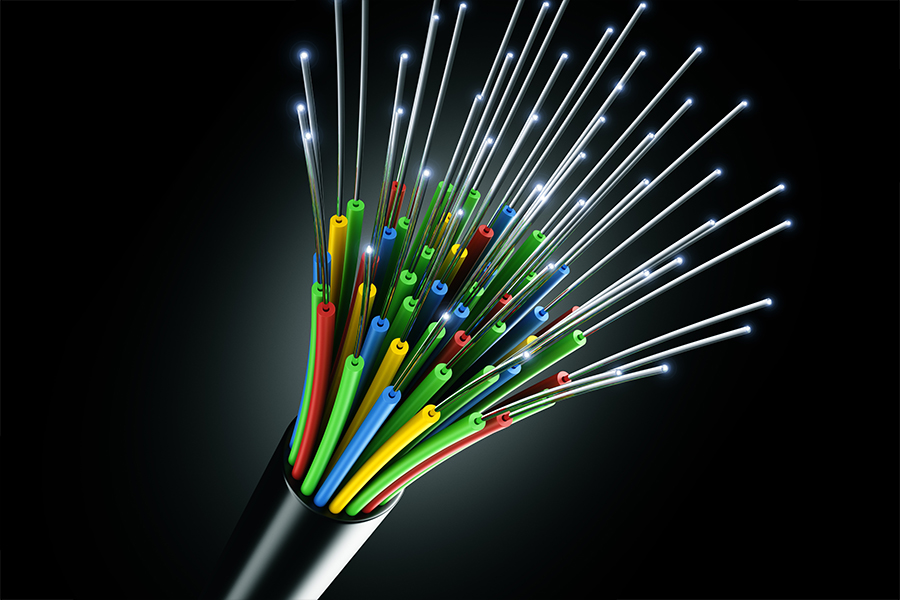
Single-mode fiber has a small optical core and is designed for long-distance optical transmission. It is widely used in telecom, ISP infrastructure, outdoor backbone links, campus connections and other applications where the route can extend well beyond a typical building network. For these deployments, fiber equipment must be selected around the optical budget and required reach.
For a new outdoor backbone where the route may grow or the distance is significant, single-mode is usually the practical starting point. The cable does not determine the finished link speed by itself; the transceivers and endpoint equipment matter too.
Multimode fiber optic cable
Multimode fiber has a larger optical core and is commonly used for shorter links inside buildings, server rooms and data centers. Grades such as OM3 and OM4 support different performance levels and should be matched to the intended optical transceivers.
Do not choose multimode simply because a link is short. The switch, transceiver, connector arrangement, required bandwidth and existing cabling all need to agree. If a building already has multimode infrastructure, identify its grade before ordering replacement components.
Armored vs. unarmored fiber optic cable
Armored fiber has additional mechanical protection and can be useful where the route is exposed to crushing, rodents, pulling forces or other physical hazards. Unarmored cable can be appropriate where the cable is protected by conduit, tray or a controlled indoor pathway.
Armor is not automatically better. It adds cost, weight and installation considerations, so it should be specified because the route requires it rather than because it sounds more durable.
Indoor vs. outdoor fiber optic cable
Indoor and outdoor cables are constructed for different environments. Outdoor cable may need protection against moisture, ultraviolet exposure, temperature changes and mechanical stress. If a route leaves a building or runs through an outdoor pathway, the cable should be rated for that environment. This is one reason buyers should review fiber optic cable specifications rather than ordering from the product name alone.
A cable that works inside a rack or building pathway is not automatically suitable for an external run. The jacket, strength members and moisture protection can matter just as much as the optical fiber inside.
Aerial, duct and direct-burial fiber cable
The physical route should influence cable selection. Aerial installations can place mechanical loads on the cable, ducted routes introduce pulling and pathway constraints, and direct-burial installations require suitable protection against soil, moisture and mechanical exposure.
When requesting a quotation, say whether the cable will be aerial, ducted or buried rather than simply asking for ‘outdoor fiber.’ That level of detail helps a supplier recommend a construction that fits the telecom infrastructure.
Fiber optic cable by fiber count
Fiber count refers to the number of individual optical fibers inside the cable. Common options include 2-, 4-, 6-, 8-, 12-, 24- and 48-core cables, with higher counts available for major infrastructure.
More cores do not automatically mean more speed per fiber. They give the project more individual fibers for active links, redundancy and future expansion. A route that is expensive to reopen may justify more spare cores than a simple indoor connection.
How to Choose the Right Fiber Optic Cable
The correct cable should be selected from the complete link requirement. Start with the route and application, then select the fiber type, cable construction, core count and optical components that support it.
1. Determine the required distance
Measure the actual physical route rather than the straight-line distance between endpoints. A cable may pass through ducts, trays, risers or building pathways that add significant length.
Distance also affects the optical equipment. The transceiver at each end needs a rated reach that covers the link, with allowance for connector and splice losses. A cable can be physically long enough while the complete optical system still fails to meet the required link budget. The endpoint SFP modules therefore need to be considered at the same time.
2. Choose single-mode or multimode
For long-distance outdoor, telecom, ISP and campus backbone applications, single-mode is generally the appropriate starting point. Multimode is commonly used for shorter indoor links where the network architecture and transceivers support it.
If you are replacing existing cabling, identify the installed fiber and the equipment connected to it first. Changing the fiber type can require changes to the optical modules and endpoint hardware, so the decision belongs within the wider routers and switches before treating the decision as a cable-only purchase.
The same principle applies to the active devices. Reviewing your routers and switches first can prevent buying a cable that the existing network cannot use.
3. Select the right fiber count
Count the fibers required for active links, redundancy and foreseeable expansion. If a route is difficult or expensive to install, spare fibers can have real value because they allow additional connections without pulling another physical cable.
For larger network deployments, fiber capacity should be considered alongside the rest of the network equipment plan rather than in isolation.
4. Match the cable to the installation environment
Identify whether the cable is going inside a building, through an outdoor duct, directly underground, between buildings or along an aerial route. Then confirm that its jacket, strength members, moisture protection and mechanical characteristics match the route.
A loose-tube outdoor cable and a tight-buffered indoor cable can both contain the same basic optical fiber while being intended for very different installations. The physical construction determines how well the cable survives the route.
5. Check the optical and mechanical specifications
For larger projects, review attenuation, operating temperature, tensile strength, crush resistance, minimum bend radius, jacket construction and applicable standards. These specifications become particularly important on long routes and demanding installations.
The goal is not to memorize every specification. It is to give the supplier enough information to recommend a cable whose LAN cable when comparing the physical cabling around the network.
Fiber Optic Cable for Different Applications
ISP and FTTH networks
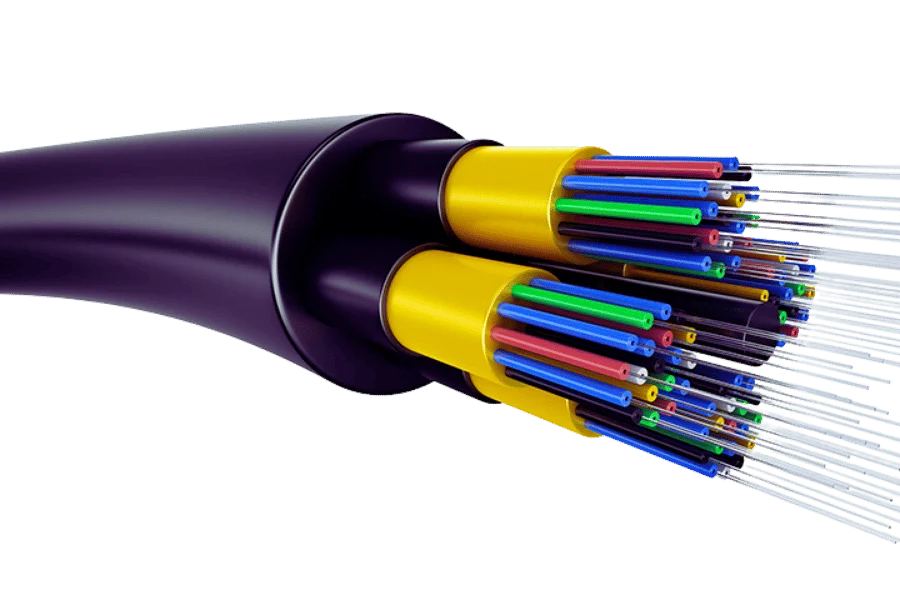
Access networks often use outdoor single-mode fiber, with cable construction and fiber count determined by the distribution architecture. Higher-count cables can make sense where multiple subscribers, branches or future expansion will be served from one route.
For GPON-oriented deployments, the active optical equipment also matters. Products in the UFiber equipment range illustrate how the optical network extends beyond the cable itself.
Enterprise and campus networks
A campus may use fiber to connect buildings, distribution points and core network locations. The design should consider distance, uplink speed, redundancy, fiber count and the interfaces available on the existing switches.
Where a project uses enterprise switching, the Cisco switches available at the endpoint should be checked alongside the fiber specification.
Data centers
Shorter high-speed links may use multimode or single-mode depending on the equipment, speed and architecture. High-density installations also make bend management, connector type, patching and cable organization important.
The same principle applies to the active switching layer: fiber switches need compatible optical interfaces and transceivers.
CCTV and security networks
Fiber can connect remote cameras, buildings and security locations over long distances while providing electrical isolation between endpoints. The complete design may require fiber-capable switches, media conversion or other optical interfaces.
Where the project combines fiber with surveillance and wider network connectivity, the supporting network switches should be specified with the optical link.
Telecom and long-distance infrastructure
These deployments place greater emphasis on fiber type, optical loss, cable construction, fiber count, route protection and long-term reliability. Cable selection should follow the engineering design rather than a generic retail description.
For larger deployments, the cable is one component of a wider telecom infrastructure system.
Fiber Optic Cable Specifications You Should Check Before Buying
| Specification | What it tells you | Why it matters |
|---|---|---|
| Fiber mode / type | Single-mode or multimode and the relevant grade | Determines appropriate applications and optical modules |
| Fiber count | Number of optical fibers | Determines current capacity, redundancy and spare capacity |
| Cable construction | Loose tube, tight buffer, drop, armored and other designs | Determines suitability for the installation route |
| Attenuation | Optical signal loss over distance | Affects the link’s optical budget |
| Maximum tensile load | Pulling force the cable can tolerate | Important during installation |
| Minimum bend radius | How tightly the cable can be bent | Helps prevent damage and excess loss |
| Jacket / environmental rating | Protection from moisture, UV, temperature and other conditions | Critical for outdoor and exposed routes |
| Operating temperature | Specified temperature range | Relevant for exposed installations |
| Standards / specification | Applicable technical and manufacturer specifications | Creates a sound basis for comparing products |
How Much Does Fiber Optic Cable Cost in Nigeria?
There is no single fiber optic cable price in Nigeria. A 1-core FTTH drop cable, 12-core outdoor single-mode cable and 48-core backbone cable can have radically different prices even when all are sold by the kilometre.
Current Nigerian product listings show the spread. Examples include a 1-core 1km FTTH drop cable around ₦150,000 and a 12-core outdoor single-mode GYXTW 1km cable around ₦404,000. These are product examples, not a national average, and their specifications are different.
RapidBTS also sells 1000m fiber cable options across different core counts and constructions. Its listed examples have ranged from roughly ₦210,886 for a 2-core outdoor FTTH drop cable to more than ₦4.35 million for a 48-core outdoor single-mode cable. The large difference is primarily explained by capacity and construction, not simply supplier pricing.
When comparing quotations, make sure you are comparing equivalent fiber optic cable specifications: same fiber mode, core count, length, construction and installation rating.
What Determines the Price of Fiber Optic Cable?
- Fiber type and grade
- Number of cores
- Indoor or outdoor construction
- Armored or unarmored construction
- FTTH drop vs. backbone/distribution cable
- Length and packaging
- Mechanical and environmental specifications
- Brand and manufacturer
- Availability and exchange-rate conditions
- Transportation and project location
Installation is a separate cost. Splicing, termination, testing, trenching, duct work, poles, labor and other civil or electrical work can make the total deployment considerably more expensive than the cable itself.
How Much Fiber Optic Cable Do You Need?
Do not calculate the order quantity by measuring the straight-line distance between two endpoints and adding nothing else. The cable follows the physical route and also needs working length at equipment, termination and splice locations.
A practical estimate should account for the actual pathway, vertical or horizontal routing, service loops, rack or enclosure entry, termination points and installation contingency. The exact allowance depends on the project and installation method.
If the route is part of a wider infrastructure upgrade, review the related routers and switches requirements before finalizing the cable quantity and endpoint design.
How to Choose a Fiber Optic Cable Supplier in Nigeria
A good supplier should be able to sell the cable that fits the installation rather than simply quote the cheapest product matching the words in your request. The quality of the technical conversation matters.
Verify the cable specification
Ask for the exact fiber type, core count, construction, length, standards and relevant mechanical specifications. If the supplier cannot clearly identify what is being quoted, you do not have enough information to compare prices.
Confirm availability and delivery
Confirm the available length, packaging, delivery timeline and whether the full quantity can be supplied together. For a large project, partial availability can create unnecessary splices or delays.
Ask about quality and documentation
For commercial and infrastructure projects, ask for product specifications or datasheets where appropriate. This gives your technical team something concrete to review and makes quotation comparisons more meaningful.
Confirm installation support
If you need splicing, termination, testing, pulling or other installation work, establish who is responsible before ordering. Equipment supply and fiber installation are separate scopes unless explicitly included.
Compare total project cost
Compare the cable, accessories, delivery, installation, splicing, testing and required optical components as one project. The lowest cable price is not necessarily the lowest project cost when the rest of the network cable and equipment requirements are included.
What Should You Tell a Fiber Optic Cable Supplier When Requesting a Quote?
Instead of sending a message that says ‘I need 1km fiber cable,’ provide the supplier with the information below:
- Required cable length
- Single-mode or multimode, if already determined
- Number of fiber cores
- Indoor, outdoor, aerial, duct or direct-burial installation
- Armored or unarmored requirement, if applicable
- Required network speed
- Distance of each link
- Existing switch, router and transceiver models
- Connector and termination requirements, if known
- Project location
- Required delivery date
- Whether installation, splicing or testing is also required
If you are unsure about the technical specification, provide the supplier with the use case, distance, endpoint equipment and installation route. A competent supplier should be able to work from those details and explain the recommended cable.
Fiber Optic Cable Supplied by RapidBTS
RapidBTS sells different types of fiber optic cable for networking requirements, including outdoor single-mode and FTTH cable options with different fiber counts.
Its range includes 1000m cable options, so buyers can select according to deployment type, fiber count and intended application rather than treating all fiber cable as interchangeable.
For the optical interface, RapidBTS sells SFP modules for different speeds and distances. These should be selected together with the cable and endpoint equipment.
For wider network deployments, RapidBTS also sells MikroTik switches that can form part of the active network around a fiber link.
Where wireless backhaul is used alongside fiber on a wider deployment, Ubiquiti AirFiber equipment can serve a different role from the physical fiber cable.
RapidBTS operates from Lagos and delivers across Nigeria. For a quotation, provide the route distance, required core count, installation environment and network requirements so the appropriate cable can be identified.
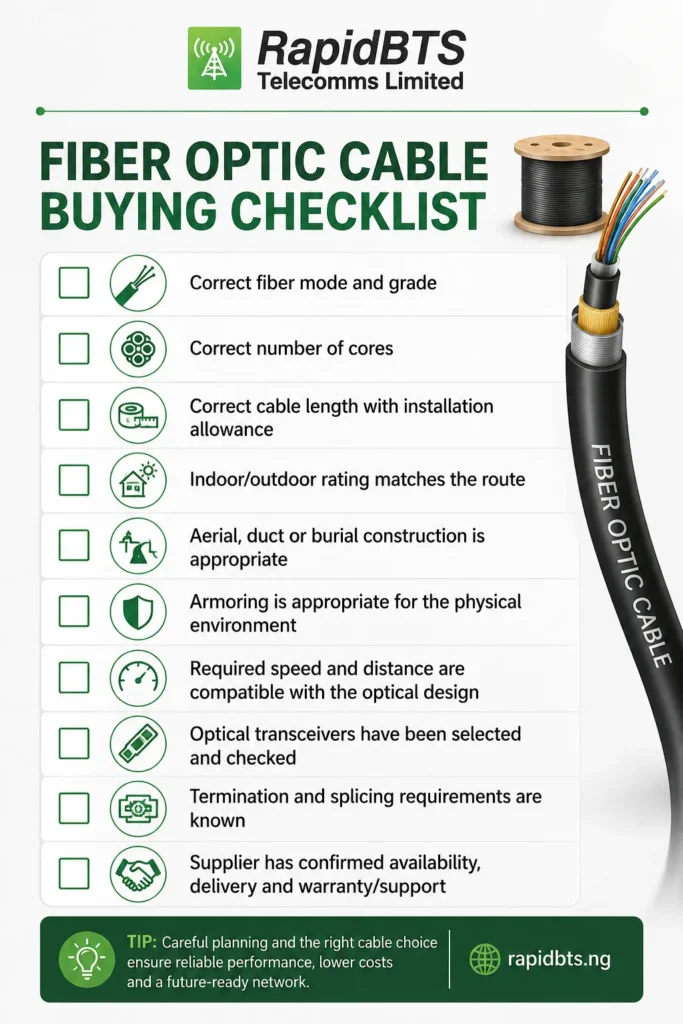
Frequently Asked Questions
Which fiber optic cable is best for long-distance communication?
Single-mode fiber is generally used for long-distance communication because it is designed for low-loss transmission over longer distances. The actual achievable distance still depends on the optical modules, link budget, transmission speed, connectors and other components in the complete system.
How many cores should I choose for a fiber optic cable?
Choose enough cores for the current links, planned redundancy and realistic future expansion. A simple point-to-point connection may need only a few fibers, while a campus, ISP or telecom distribution route may justify 12, 24, 48 or more cores. If replacing the physical cable later would be difficult or expensive, spare cores can be a worthwhile investment.
Can fiber optic cable be installed outdoors?
Yes, but the cable must be designed for outdoor installation. Outdoor fiber cables can include protection against moisture, UV exposure, temperature changes and mechanical stress. The appropriate construction also depends on whether the cable will be aerial, installed in a duct or buried directly.
Is armored fiber optic cable always better?
No. Armoring provides additional mechanical protection, but it can add cost, weight and installation considerations. It is valuable where the route exposes the cable to physical hazards, while a properly protected indoor or ducted installation may not require armored cable.
What is the difference between single-mode and multimode fiber?
Single-mode fiber is designed for longer-distance optical transmission and is widely used in telecom, ISP and backbone applications. Multimode fiber has a larger core and is commonly used for shorter-distance links in buildings and data centers. The choice must match the optical transceivers and network design.
How much does 1km of fiber optic cable cost in Nigeria?
The price varies substantially by fiber type, core count and cable construction. Current Nigerian listings can range from roughly ₦150,000 for a 1-core 1km FTTH drop cable to several hundred thousand naira for higher-core-count outdoor cable, while larger-count backbone cables can cost much more. Compare equivalent specifications rather than relying on one headline price.
Can the same fiber optic cable support different network speeds?
A fiber cable does not have one fixed Ethernet speed in the same way an active network device does. The achievable speed depends on the fiber type, optical transceivers, wavelength, link distance and network equipment. The same physical fiber may support different speeds when the optical and endpoint equipment are designed for them.
Do I need to buy anything else with fiber optic cable?
Usually, yes. A complete fiber link may require compatible optical transceivers, fiber patch cords, termination hardware, pigtails, splice materials, enclosures and fiber-capable network equipment. The exact list depends on whether the project is a point-to-point link, campus backbone, FTTH deployment or another architecture.
Can RapidBTS supply fiber optic cable across Nigeria?
Yes. RapidBTS sells fiber optic cable and related networking equipment and delivers across Nigeria. Buyers can provide the required length, core count, fiber type, installation environment and network requirements so the appropriate product can be identified for the project.
Final Takeaway
Choosing a fiber optic cable supplier in Nigeria should start with the deployment requirement, not the product title or lowest price. Distance, fiber mode, core count, installation route and cable construction determine what you actually need.
Once those requirements are clear, compare suppliers on equivalent specifications and consider the complete project cost, including optical modules, termination, installation and testing. That approach makes it much easier to buy a fiber cable that will work reliably today and remain useful as the network grows.